You arrive home from grocery shopping with your mind full of tasks, arms loaded with bags, going through the motions of unlocking your door and putting everything away. Ten minutes later, you can't find your keys. They're in the refrigerator next to the milk because your working memory was so overloaded that you performed actions on autopilot without encoding them.
Working memory is the mental workspace where your brain actively holds and processes information in the moment. It's about temporary storage of information while it's being processed. And it has limits. When those limits are exceeded, information doesn't get processed or encoded properly, which means that we're more likely to forget about this information later on.
In this video, Celia Hodent, PhD, Game UX Strategist and Author of the best-selling book The Gamer's Brain, talks about why working memory has limitations and how its two specialized subsystems constrain what your players can process at the same time.
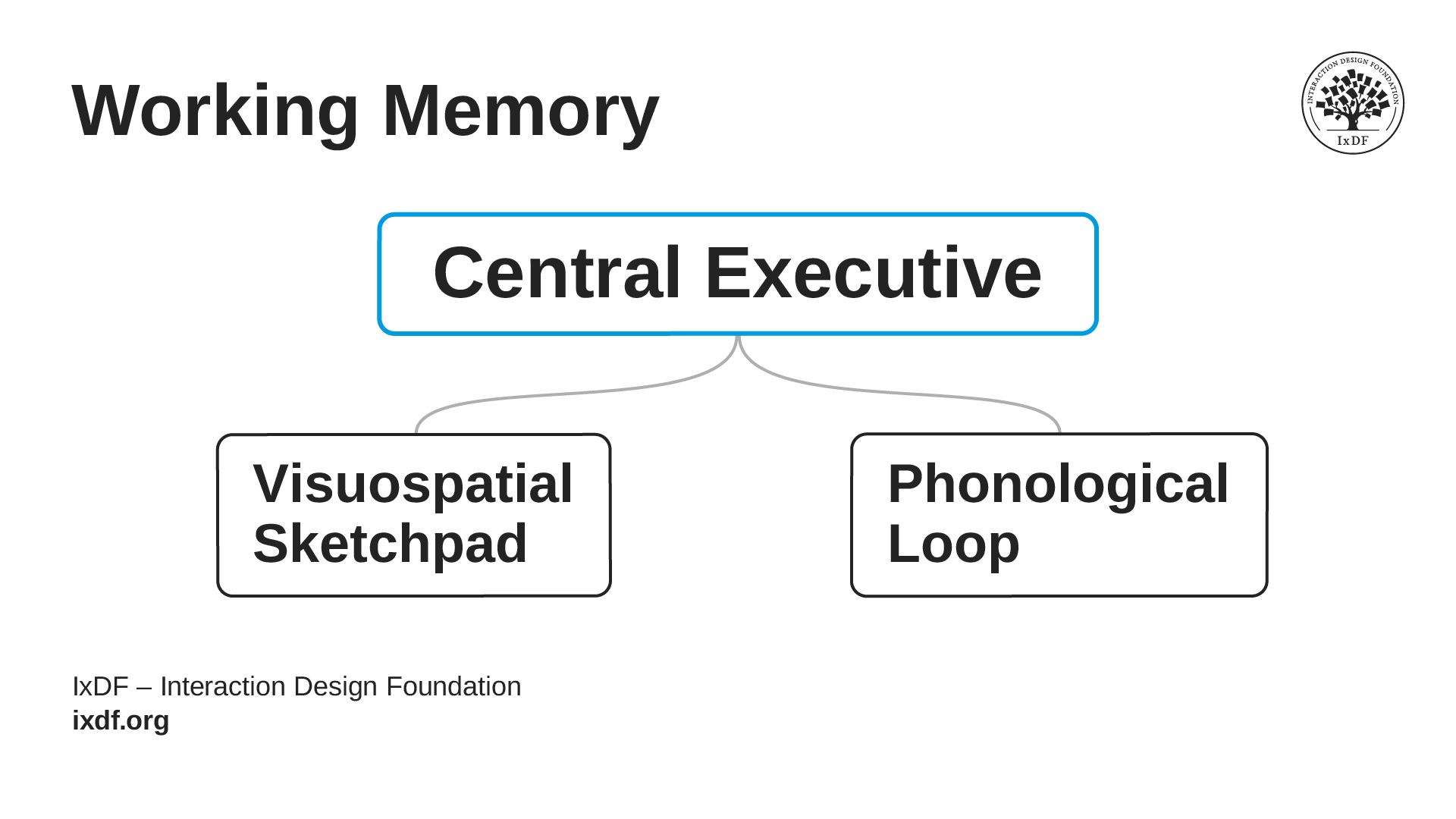
Working memory operates through two main specialized subsystems, each handling a different type of information.
The phonological loop handles all phonological tasks, such as written and spoken language. It processes phonological information that players read and hear, and it can only handle one language task effectively at a time. When you ask players to read tutorial text while listening to story dialogue, you're forcing their working memory to split attention resources between competing demands, which means neither gets processed or encoded properly, and both suffer.
The visuospatial sketchpad handles visual and motor tasks like navigation, tracking enemies, and spatial awareness. When you ask players to navigate complex environments while simultaneously tracking multiple threats and checking their minimap, something is likely to get dropped.
© Interaction Design Foundation, CC BY-SA 4.0
Think of working memory as your players' mental workspace, where the brain holds and processes information in the moment. At the top sits the central executive, the manager that decides where attention goes. Below it are two specialized helpers. The visuospatial sketchpad handles visual and motor tasks: navigating the environment, aiming, or tracking enemies. The phonological loop handles language: the words players read and hear.
It's nearly impossible to execute two tasks within the same subsystem simultaneously. Story dialogue plus tutorial text? Both compete for the phonological loop, so both suffer. One task from each subsystem might be more manageable, but keep in mind that it will all depend on the complexity of each task and on a player's familiarity with them.
How to Design for Working Memory
Here's how you can use the two-subsystem model to make better design decisions.
© Interaction Design Foundation, CC BY-SA 4.0
Sequence competing phonological tasks because they use the same subsystem. When a non-player character (NPC) delivers story dialogue while tutorial text explains new controls on screen, both compete for the phonological loop because they ask players to process two different pieces of language-based information at the same time. In this case, players may miss the story, miss the controls, or encode both poorly. A better approach is to deliver story dialogue before or after control tutorials. This is different from subtitles, where players read and hear the same verbal information.
Separate competing visuospatial tasks because they overload the same processing subsystem. When players have to navigate complex platforming, track multiple moving hazards, and check their minimap at the same time, the design may be asking too much of them, especially during onboarding or for more casual players. Reduce the navigation complexity during hazard-heavy moments, lower the number of hazards during intricate navigation, or avoid making the minimap essential when both are demanding. This keeps the challenge in a place where players can actually meet it.
Keep in mind that no matter what subsystems are solicited, multitasking always represents a heavier cognitive load than being able to fully focus on one task at a time. Even when two tasks use different working memory subsystems, they can still become too much when players have to handle them at the same time. So, don't assume players can easily read tutorial text while navigating or fighting. Always consider how many elements they need to attend to at once, and increase cognitive load gradually as they become more comfortable with the game. And, of course, test your assumptions.
Space out new information because working memory tires quickly and requires recovery time between new inputs. For example, when you introduce crouch, aim, and grenade mechanics in rapid succession, working memory might not be able to process all three or encode them into long-term memory, especially when this information isn't already familiar to players. Teach one mechanic or system, give players a safe practice time until it feels automatic, then introduce the next. Each piece of information needs space to land before the next one arrives. This also means that you must know your target audience: what they should already be familiar with (given the type of games that you believe they are already playing) and what might be harder for them to assimilate (and verify these assumptions with user testing).
Design for experience level. What feels automatic to genre veterans demands significant working memory from newcomers. Experienced players in a given genre have already automated many patterns through practice, which frees up working memory for new challenges. A newcomer hasn't built those shortcuts yet, so basic tasks still consume real cognitive resources. Design early tutorials assuming working memory is mostly occupied with basics, then gradually increase complexity as automation builds through practice.
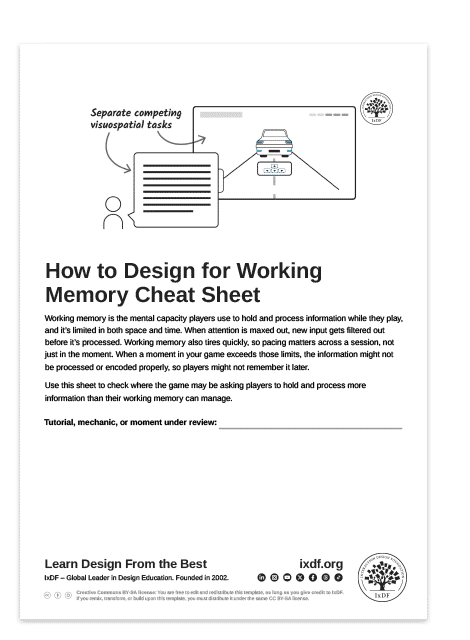
Use this cheat sheet to design with working memory in mind.
The Take Away
Working memory is where your players process and temporarily hold information, but it's limited in both space and time. It operates through two specialized subsystems. The phonological loophandles all language tasks (spoken and written), while the visuospatial sketchpad processes visual and motor tasks. When you force two tasks through the same subsystem simultaneously, it's nearly impossible to execute both properly. This is why you should account for how these subsystems work in your designs to anticipate where players are most likely to struggle.
Also, be mindful of placing the player in a multitasking situation, especially when several tasks require the same subsystem to process. Space out new information so working memory can process each piece before the next arrives and give players time to practice one mechanic or system before you introduce the next. Also, design for experience level, because players who'vepracticed certain skills until they're automatic don't need as much attention to execute them, which leaves more room for new challenges. Novices haven't built that automaticity yet, so early tutorials should assume that basic tasks still require significant attention.
References and Where to Learn More
Want more? If you haven't already, sign up for Game UX Design: The Ultimate Guide to learn directly from Celia Hodent, PhD, former Fortnite UX Director, and author of the best-seller The Gamer's Brain.
Read The Gamer's Brain by Celia Hodent.
Watch the How to Design for the Human Mind: Cognitive Science for UX Master Class by Celia Hodent.
Watch the How to Become a Games User Researcher Master Class by Steve Bromley, Games Researcher and Author.
Watch the AI for Game UX: Speed Up Research, Ideas, and Prototypes Master Class by Om Tandon, UX Design Leader at Nordeus (Zynga/Take-Two).
Watch the Level Up Your Career: How to Land a Job in the Game Industry Master Class with Om Tandon, UX Design Leader at Nordeus (Zynga/Take-Two).
Watch the UI Design for Games: Starter Edition Master Class with Stéfano Girardelli, Senior Visual Designer at Wildlife Studios.
Hero image: © Interaction Design Foundation, CC BY-SA 4.0