Ten numbered usability heuristics cover status visibility, real-world matching, control, consistency, recognition, error prevention, flexibility, minimalism, error help, and documentation

Effective Expert Reviews for Your User Experience – Part I

• 5 min read

488 Shares
Save

If you’re looking to use expert reviews to validate your user research then you’ll need to pay close attention to the design of your reviews. Why? Mainly because an expert isn’t always an expert (there’s a tendency to assume that expertise in one area becomes expertise in other areas) and even when they are an expert – there’s the potential to miss things because we’re all human.

The best expert review process thus brings together a group of experts and allows them to work together to conduct that review. Let’s look at a process that might help you do just that:

The Group Expert Review Process (Part 1)

The second part of this review process will be published tomorrow on the UX Daily; so please don’t miss that as it will make a difference to the effectiveness of your work:

Select a Group

The ideal group will contain some usability professionals and some domain experts. Depending on the scale of the project this may be as few as 3 people in total or as many as 12. If you use more than 12 you run the risk of people’s contributions being lost in the mix, fewer than 3 and you’re moving back to relying on too little input for a thorough review.
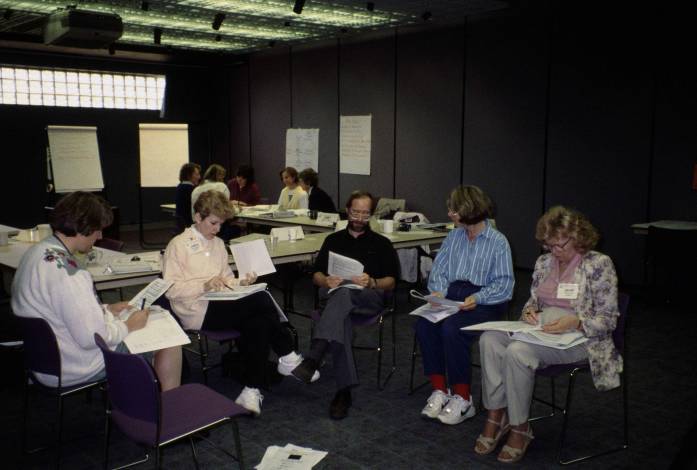


Try to mix up the experience levels of your reviewers too. Someone with little familiarity with the field will often pinpoint a range of different issues when compared to someone with huge amounts of experience.

Set Up the Review for Ease of Use and To Capture As Much Data as Possible

That means preparing the space that you will conduct the review in. Make certain that everyone can be accommodated; this can be straightforward if everyone will be physically present but today there may be remote participants too – how will you make certain that they feel they can contribute?



Author/Copyright holder: Press Books. Copyright terms and licence: All rights reserved Img source


Ensure that each participant has access to the heuristics being tested and the room and facilities to make notes. Make certain there’s a facilitator on hand and someone who can capture vital output on a whiteboard – which should be visible to all participants (including the remote participants).

Warm Up Before You Begin

It’s helpful to get the participants talking to each other and to feel comfortable talking to the group before you get started. Use a classic introduction exercise (get everyone to tell the group about how they are and why they’re there but keep it short) or mix it up a little (get everyone to introduce another member of the group – it takes a little longer but does break down any reluctance to get involved better).

Define and Explain UX and Heuristics
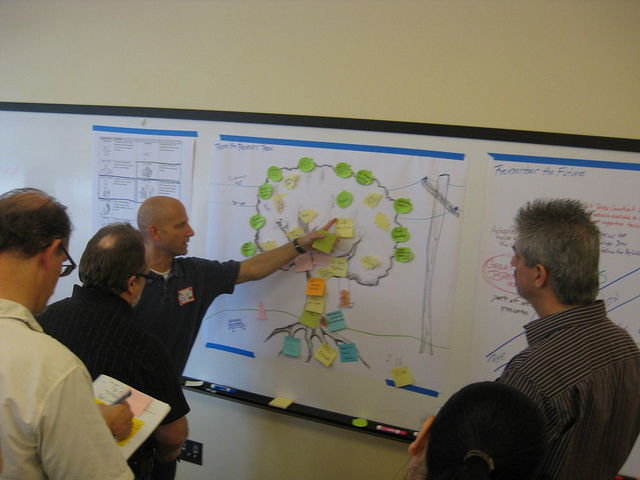

Author/Copyright holder: David Koontz. Copyright terms and licence: CC BY-SA 2.0 .


Don’t take it as read that every participant will be familiar with every term you use – explain them and make certain that you answer any questions that the group has before starting the review… which is where we will pick up tomorrow. See you then.

Header Image: Author/Copyright holder: Elida Arrizza. Copyright terms and licence: All rights reserved. Img

Learn More in This Course:

Learn Design and AI From the Best

Get one powerful email each week, like 312,070 others.

Next email in:

What You Should Read Next

  • Read full article
    Conceptual Models: The Hidden Structure Behind Your Next Great Interface - Article hero image

    Conceptual Models: The Hidden Structure Behind Your Next Great Interface

    Ever wondered why some interfaces feel effortless: like they already know what you’re trying to do, while others leave you guessing? The difference often lies in how well a product’s design matches the way users think. When your interface reflects their mental model, every action feels intuitive, an

    Social shares
    472
    Published
    Read Article
  • Read full article
    Get to Grips with Constraints - Article hero image

    Get to Grips with Constraints

    Got constraints? Perfect. That’s where great design begins. Just as electrical standards define how a toaster safely works without shaping what it does, your software also lives within boundaries that quietly guide its behavior. Functional requirements describe what your system does: the stories of

    Social shares
    469
    Published
    Read Article
  • Read full article
    How Persona Stories Help You Design for Real People - Article hero image

    How Persona Stories Help You Design for Real People

    User stories caught on because they were quick and simple, but speed often came at the cost of real understanding. A “user” in a story is rarely more than a guess, shaped by the assumptions of whoever wrote it. When you shift to persona stories, you ground your work in real research and real people.

    Social shares
    391
    Published
    Read Article
  • Read full article
    Use Cases: The Ideal Bridge Between Requirements and Design? - Article hero image

    Use Cases: The Ideal Bridge Between Requirements and Design?

    Imagine trying to describe everything your product needs to do, without getting lost in technical detail or endless feature lists. That’s the problem Ivar Jacobson set out to solve in the 1980s when he introduced use cases. Instead of worrying about how a system worked internally, he described it fr

    Social shares
    410
    Published
    Read Article
  • Read full article
    What is Good Design? - Article hero image

    What is Good Design?

    Design matters. It enables us to understand, communicate and improve the world around us. When done right, design has the power to improve the everyday lives of users. When done wrong, design can disrupt and frustrate users. As a designer, you have the power to improve the everyday lives of your use

    Social shares
    668
    Published
    Read Article
  • Read full article
    How To Use Grid Systems - Article hero image

    How To Use Grid Systems

    Grids systems can help you add structure to your design, organize information and create a consistent user experience. When designing with grids, the best thing you can do is to choose the right grid for the right project. However, with so many grids to choose from, it can be hard to know where to s

    Social shares
    829
    Published
    Read Article
  • Read full article
    The Basics of Type: Design Interfaces Users Keep Coming Back To - Article hero image

    The Basics of Type: Design Interfaces Users Keep Coming Back To

    Type is everywhere. In the books you read, the products you use, and even in this very website you're on right now. But what is type? In the context of design, type is the style or appearance of text. It can also refer to the process of working with text. Typography can often be an intimidating topi

    Social shares
    676
    Published
    Read Article
  • Read full article
    What are Color Modes? - Article hero image

    What are Color Modes?

    As a designer, it’s important to differentiate the color modes so you can optimize each stage of your design process. If you use the correct color mode in your design, you will also help get your message and tone across. In this lesson, we’ll define common color modes and help you understand when to

    Social shares
    789
    Published
    Read Article
  • Read full article
    The 5 Pixar Storytelling Principles That Will Redefine How You Present and Fast-Track Your Career - Article hero image

    The 5 Pixar Storytelling Principles That Will Redefine How You Present and Fast-Track Your Career

    Ever sat through a presentation that felt like watching paint dry? You’re not alone. Most presentations miss one vital ingredient: Storytelling. And when it comes to telling stories that make people laugh, cry, or rethink their entire worldview… no one does it like Pixar. They’ve mastered the art of

    Social shares
    513
    Published
    Read Article
  • Read full article
    5 Ways to Use Behavioral Science to Create Better Products - Article hero image

    5 Ways to Use Behavioral Science to Create Better Products

    A myriad of fields, skills and insights come together to create the overarching discipline of user experience design. Psychology and behavioral science play a big part in UX design because understanding people, the way their minds work, what they want and don’t want, will help us create better produ

    Social shares
    654
    Published
    Read Article

Top Articles

Top Topic Definitions

39% of Today's Skills Will Change by 2030

The World Economic Forum expects 39% of today's skills to be transformed or become outdated by 2030.

The good news is that jobs in UX / UI design and AI are among the fastest-growing professions globally.

Build Skills That Keep You Relevant

Privacy Settings

By using this site, you accept our Cookie Policy and Terms of Use.
Customize
Accept all

Be the One Who Inspires

People remember who shares great ideas.

Share on:

Academic Credibility — On Autopilot

Don't waste time googling citation formats. Just copy, paste and look legit in seconds.

Learn Design and AI From the Best

Get one powerful email each week, like 312,070 others.

Next email in: