Six colorful framed interface mockups hang in two rows on a brick wall

Another 5 Awesome UX Practices that Will Help Your Project Deliver Great UX

• 4 min read

501 Shares
Save

Welcome back to this week’s series of awesome UX practices. If you haven’t caught the first 4 instalments; don’t worry – they can be found under the UX Daily tab on our website. Today we’re looking at UI design:

Don’t Reinvent the Wheel

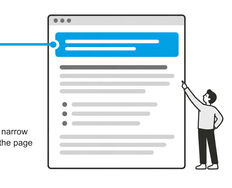
When it comes to UI design one of the simplest and most effective ways to cut down on workload is to take a look at other people’s UI patterns. If you can find someone who has done something similar and it seems to work; you can emulate that pattern. This often has the added benefit that some UX testing will already have been done on the pattern – that doesn’t guarantee that it will work for your users too but it does increase the odds.

Remember Your Users

You cannot design UI beyond your users’ tolerance and comfort zones. Even if your radical approach is truly ground breaking; you may need to move slowly forward with major innovation if you want it to be well received. If you pull people too far out of their comfort zone on a first run – they won’t come back for more; they’ll go looking for something more familiar instead.

Always Document The Patterns That You Use

Once you’ve put in the effort to create an awesome UI don’t think the job is done. You need to make certain that it’s easy for people to follow that pattern in the future. There are tools for this that make documenting multiple UI patterns over multiple projects easier but a Word Document might do the trick for a simple project.

Don’t Badger First Time Users
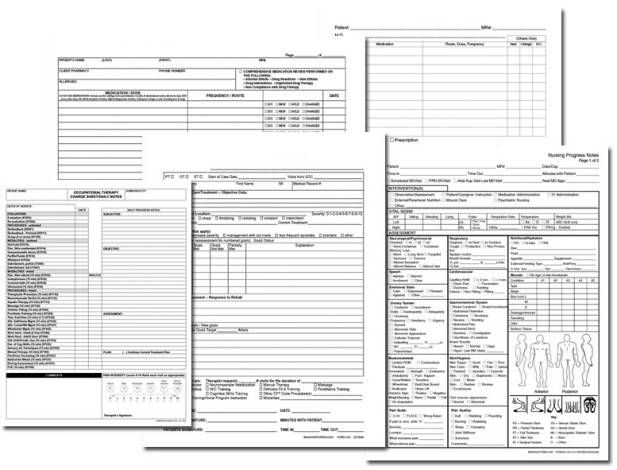

That 6 page registration form that marketing wants to use? You need to kill it. You want registration to be as painless as possible in most cases. That means focusing on minimal data to make the sale, start the trial, etc. you can always go back when the user makes a second purchase or plays with the app a second time and get a little more data from them. The most off putting thing in the world; is being expected to fill in a catalogue of forms just to view a single web page. If the information exists anywhere else online – it will be easier to find than tackling that registration process – don’t throw customers away.

Don’t Be Afraid of Tool Tips
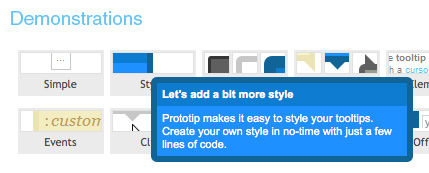
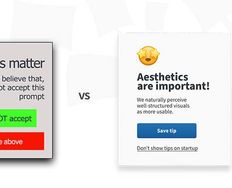
If you find that the number of actions on screen is becoming way too confusing; consider reducing the amount of text visible at any one time and offer tool tips instead (ideally on mouse over). This can make things much more visually appealing and it has the virtue of delivering only the information that the user needs; when they need it. That’s a pretty good principle for reinforcing the user experience.


Image Source:

Web Design Ledger (link to image)

Home Care Forms (link to image)

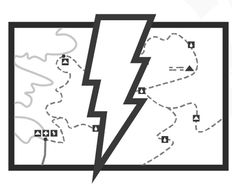
D Telepathy (link to image)

Learn More in This Course:

Learn Design and AI From the Best

Get one powerful email each week, like 315,445 others.

Next email in:

What You Should Read Next

  • Read full article
    What are the Stages of Creativity? - Article hero image

    What are the Stages of Creativity?

    Let’s explore the various stages of creativity so you can get a firmer idea of its true nature as such a powerful human resource. Graham Wallas was the first to create an overview of a creative process back in 1926. As you can imagine, lots of iterations have emerged since then. Some of these theori

    Social shares
    1.1k
    Published
    Read Article
  • Read full article
    Plug, Play, Persona: Your Free Template and Step-by-Step Guide - Article hero image

    Plug, Play, Persona: Your Free Template and Step-by-Step Guide

    You've searched for the perfect persona template, downloaded dozens, yet none quite hit the mark. Here's the problem: Most templates fail you because they focus on demographics, fancy sliders, and irrelevant details. None of these things help drive decisions or create solutions that improve lives. B

    Social shares
    102
    Published
    Read Article
  • Read full article
    Keyboard Navigation and Data Entry - Article hero image

    Keyboard Navigation and Data Entry

    Forms are an essential part of many interactions, but good form layout and clear labels are only part of the picture. Forms also need to work in all the ways users interact with them. Not everyone uses a mouse. Many users rely on keyboards, whether by preference, motor impairments, or because they u

    Social shares
    144
    Published
    Read Article
  • Read full article
    Expert Evaluation: Identify Problems Before You Recruit Users - Article hero image

    Expert Evaluation: Identify Problems Before You Recruit Users

    Before you have a single real user in a testing session, you can already find a significant proportion of the usability problems in a design. Expert evaluation, also known as heuristic evaluation, is one of the most cost-effective methods available to UX practitioners. It requires no recruitment, fa

    Social shares
    145
    Published
    Read Article
  • Read full article
    Perceptual Issues in Dynamic Interfaces - Article hero image

    Perceptual Issues in Dynamic Interfaces

    In this video, William Hudson, User Experience Strategist and Founder of Syntagm Ltd, explores the psychological phenomena that affect how users perceive changes in dynamic web interfaces. While the focus is on web pages, these principles apply to any interactive technology, from desktop application

    Social shares
    178
    Published
    Read Article
  • Read full article
    Legal Aspects of Accessibility - Article hero image

    Legal Aspects of Accessibility

    Understanding the legal requirements for accessibility is essential for anyone building digital products and services. Accessibility legislation exists worldwide, and failure to comply can result in costly lawsuits and reputational damage. This lesson explores the legal landscape, compliance standar

    Social shares
    151
    Published
    Read Article
  • Read full article
    Be Afraid! The Silent Role of Fear in Decision Making - Article hero image

    Be Afraid! The Silent Role of Fear in Decision Making

    Fear plays such a dominant role in our lives that several businesses and products have succeeded on the back of this single emotion. Here’s a look at some of the fears that affect our decision making, how businesses and products exploit these tendencies to their advantage, and how, as a designer, yo

    Social shares
    723
    Published
    Read Article
  • Read full article
    Why Smart Professionals Use Personas to Get Ahead (And You Should Too) - Article hero image

    Why Smart Professionals Use Personas to Get Ahead (And You Should Too)

    Imagine your next product launch soaring beyond expectations. Your customers raving about experiences crafted just for them. Your ideas finally connecting with the people who matter most. This isn't wishful thinking—it's what happens when you master personas, user experience (UX) design's secret wea

    Social shares
    351
    Published
    Read Article
  • Read full article
    AI for Persona Research and Creation: Build Better Profiles in Less Time - Article hero image

    AI for Persona Research and Creation: Build Better Profiles in Less Time

    Personas help you get inside your users’ heads—and build things they’ll actually value. Now imagine having a tool that makes it all click faster. That’s AI. Let it handle the grind while you do what only a human can: feel, connect, and create solutions people truly love. Here are seven ways to make

    Social shares
    639
    Published
    Read Article
  • Read full article
    Healthcare UX: Design that Saves Lives - Article hero image

    Healthcare UX: Design that Saves Lives

    UX (user experience) design has the potential to improve people’s everyday lives. The stakes are even higher if you work as a UX designer in the healthcare industry. The health-tech sector is among the fastest-growing in the world, with expected revenue of USD 1,305.1 billion in 2030, according to G

    Social shares
    842
    Published
    Read Article

Top Articles

Top Topic Definitions

39% of Today's Skills Will Change by 2030

The World Economic Forum expects 39% of today's skills to be transformed or become outdated by 2030.

The good news is that jobs in UX / UI design and AI are among the fastest-growing professions globally.

Build Skills That Keep You Relevant

Privacy Settings

By using this site, you accept our Cookie Policy and Terms of Use.
Customize
Accept all

Be the One Who Inspires

People remember who shares great ideas.

Share on:

Academic Credibility — On Autopilot

Don't waste time googling citation formats. Just copy, paste and look legit in seconds.

Learn Design and AI From the Best

Get one powerful email each week, like 315,445 others.

Next email in: