Working code now sits at the other end of a natural language prompt. AI is blurring the lines of your role, and that's a good thing. Master it now and expand what you can deliver: stronger deliverables that command higher freelance rates, or strategic contributions that make you indispensable to your team.
While AI-generated code doesn't make you a developer, it does make you a designer who controls more of the creation process: fewer dependencies, faster validation, and proof that your designs work.
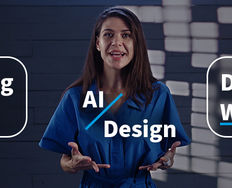
In this video, Brandon Groce, Designer, Educator, and Product Builder, explains why designers are best positioned to build apps and websites with AI and demonstrates how he uses ChatGPT and Base44 together to create a minimum viable product.
Vibe Coding: Ship Your Own Designs Without Writing a Single Line of Code
Vibe coding is a software development approach where AI generates entire applications from natural language prompts, allowing you to focus on high-level goals rather than manual, line-by-line coding. Coined by Andrej Karpathy in early 2025, this method relies on tools like Cursor, Replit Agent, and Claude to rapidly build prototypes, often by "giving in to the vibes" and letting AI handle complexity.
While vibe coding originated with developers, it is accessible to designers, especially through platforms like Lovable.
Lovable.dev and similar tools let you work visually instead of writing detailed, technical prompts from scratch. You import Figma designs and generate corresponding React components with styling, then describe changes in natural language: "Make the header sticky" or "Add loading state to the submit button."
© Lovable, Fair use
This feels natural because you start with your design and refine it through conversation. AI translates visual intent into a complete, working application while you focus on interaction and experience.
Building Products with AI Isn't Magic
You can use AI to build working software fast, but "working" doesn't mean "good" or "ready for users." Here are a few limitations:
Vibe coding suits specific project types: You might successfully build a business website, portfolio site, or even an e-commerce store end-to-end yourself. But vibe coding is generally considered unsuitable for complex, enterprise-grade applications requiring high security, strict maintenance standards, or rigorous testing protocols.
Prompts need technical specificity: "Make it user-friendly" means nothing to AI. You need: "Use 16px minimum font size. Ensure 44px touch targets. Add skeleton screen loading states." While the need to write code is removed, you must still understand the technical specifications of what you're asking for, and you'll still spend a lot of time iterating.
Code quality demands review: AI can produce code with security vulnerabilities, accessibility gaps, and performance issues. What works in a demo might put user data at risk in production or fail under load.
The sweet spot for vibe coding is projects where speed matters more than perfection, where you control the entire scope, and where failure doesn't put users or businesses at risk. That's a significant range of useful applications: just not everything.
Start Small: AI-Assisted Fixes and Features
Before you attempt to build entire products with AI, set yourself up for success and start with targeted code generation that proves value quickly:
Quick fixes: Approach your development team and ask if they're open to designers contributing minor fixes. For developers, fixes can go straight to code review instead of requiring valuable developer time. For designers, you can fix that button alignment issue sitting in the backlog for months, which is affecting UX. This isn't vibe coding, but it's practical AI use that builds your credibility.
Micro-interactions for testing: Need to validate whether a hover state feels right or if animation timing works? Generate a working version, test with users, gather feedback, then hand specifications to engineering with confidence.
Small features: Add a simple filter to an existing dashboard. Generate a CSV export function. Create a basic settings panel. These targeted additions practice your AI coding approach without the complexity of complete applications.
Be a Designer of the Future
This isn't about becoming a developer. It's about becoming a designer whose vision isn't constrained by dependencies. You'll command higher rates because you deliver complete solutions. You'll earn strategic influence because you prove designs work before expensive development begins. You'll build your own products, launch your own ideas, and control more of the creation process than any designer before you.
But it's your judgment that makes you valuable, not the technology. AI generates code fast, but you ensure it serves real people solving real problems. You maintain the human-centeredness that separates great products from functional ones. You test with users, validate accessibility, refine interactions, and ensure every decision prioritizes the people using what you build.
You won't thrive when you know the most prompts or use the fanciest tools. You'll thrive when you combine AI's capabilities with an unwavering focus on user needs. Build more, but don't forget why you're building.
That's the future: more capability, same principles. AI amplifies your reach, and you direct where it goes.
The Take Away
AI-generated code expands what you can deliver. If your development team allows it, start small with targeted contributions: bug fixes, micro-interactions, and small features. This isn't vibe coding, but it builds your confidence and expands your reach.
As for vibe coding itself, tools like Lovable let you import Figma designs and generate working applications through natural language. This works for business websites, portfolios, simple e-commerce, and prototypes, but enterprise applications requiring high security or rigorous testing aren't the right candidates.
With all these new tools, remember it's your judgment that makes you valuable, not the technology. AI generates code fast, but you ensure it serves real people with real problems. Maintain human-centeredness: test with users, validate accessibility, and refine interactions. Build more, but remember why you're building.
Master this balance, and you'll command higher rates, prove your strategic worth, and even build your own products. If you keep your mind open and push your limits, you'll see your capability expand, and your career accelerate without losing the principles that make you valuable.
References and Where to Learn More
Find out how Paavan Buddhdev, Product Designer at Granola, uses AI tools to take design ideas from concept to code in our 1-hour Master Class, How to Design Products with AI Features.
Want to build products that solve real problems? Master human-centered design principles with our course, Design for the 21st Century with Don Norman.
Hero image: © Interaction Design Foundation, CC BY-SA 4.0