Taxonomy chart maps idea descriptors from dysfunctional to functional and poor to good conceptual structure around a central no idea

UX Consistency: Ranking Ideas and Agreeing on Principles for the Design

• 5 min read

480 Shares
Save

This week, we’re looking at a process to deliver more consistent results from UX design projects. Yesterday, we looked at the reason that many traditional methods don’t deliver consistent results. Today, we’re looking at the first step in the process: ranking ideas and agreeing on the principles to be used in the design project.

Collate and Rank Your Ideas

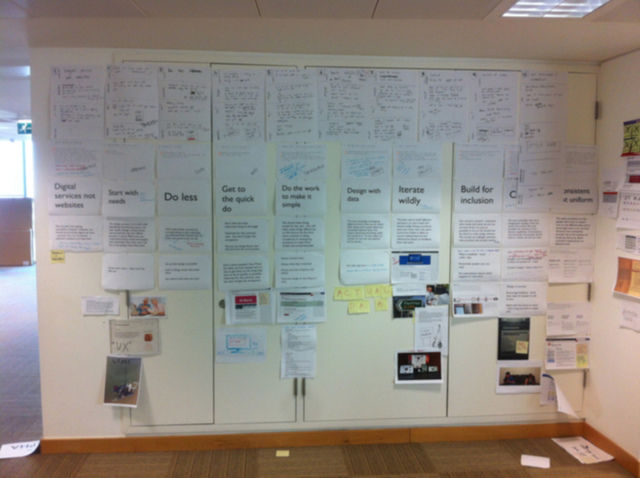
During the project you’re going to come up with a ton of ideas and some of those ideas will be brilliant and others less so. Your user research and your team are going to have a lot of input into this process but the best place to start with all your ideas (even the obviously off-the-wall ones – don’t throw them out, they can trigger other better ideas when reviewed) is to collate them all.


Author/Copyright holder: Ben Terrett. Copyright terms and licence: CC BY-NC-ND 2.0


Get them in one place… an Excel Spreadsheet is a good place to put them. List each idea in enough detail so that it makes sense when you come to reviewing it. Don’t stint on description but there’s no need to write an essay keep things as brief as you can without losing the detail that makes it meaningful.

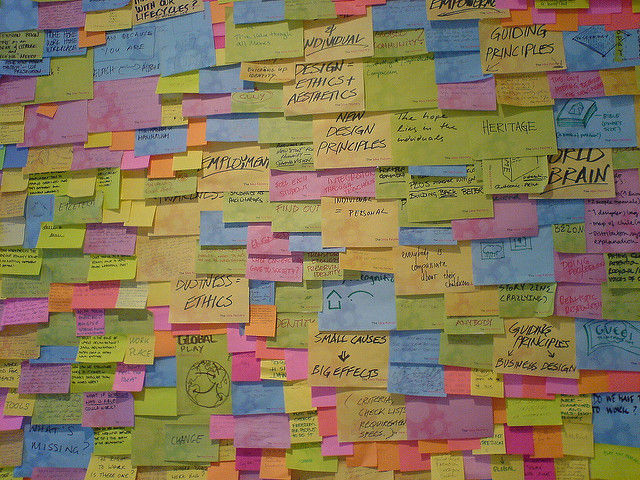
It’s pretty easy to hold a session at the start of your project and generate tons of ideas.


Author/Copyright holder: Jacob Bøtter. Copyright terms and licence: CC BY 2.0


Once you’ve got all your ideas together it’s a good to rank them. In general we would rank them in terms of their importance to the user experience project and then on their ease of implementation within the project.

Instead of trying to rank everything against each other; you might want to use a simple scale for each idea. Say from 1 to 10. Then take the number of ideas you have and allocate 5 points per idea to spend in each column. So if you have 10 ideas you can spend a total of 50 points in importance and another 50 points in ease of implementation with no more than 10 points spent in any one column against any particular idea.

Then simply sort the spreadsheet by the two columns to get the most useful ideas at the top of the list and the least useful at the bottom.

Agree on Your Design Principles

Author/Copyright holder: Mike Rohde. Copyright terms and licence: CC BY-NC-ND 2.0


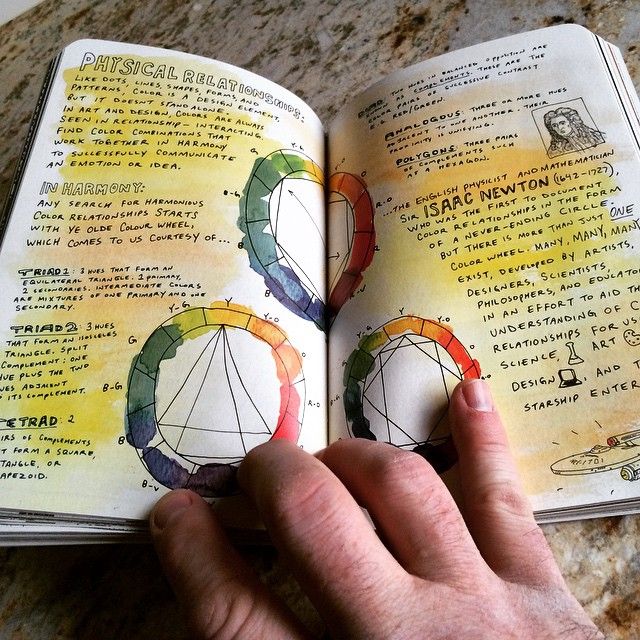
It is very helpful to agree on your design principles early. What is your project intended to deliver in big, broad brush strokes? Once you’ve determined this list and it should be a small list and definitely no more than 7 principles (and fewer if you can get away with it); you can begin to compare your ideas against the principles too and perhaps adjust the rankings to match the principles more closely.

Summary

Introducing consistency to UX projects beings with some simple methods of quantifying what’s important to the project and how easy it will be to deliver the results you want to deliver. The earlier you get this done; the easier it will be to stay focused on your objectives.

Header Image: Author/Copyright holder: David McCandless. Copyright terms and licence: CC BY-NC 3.0

Learn More in This Course:

Learn Design and AI From the Best

Get one powerful email each week, like 312,089 others.

Next email in:

What You Should Read Next

  • Read full article
    Conceptual Models: The Hidden Structure Behind Your Next Great Interface - Article hero image

    Conceptual Models: The Hidden Structure Behind Your Next Great Interface

    Ever wondered why some interfaces feel effortless: like they already know what you’re trying to do, while others leave you guessing? The difference often lies in how well a product’s design matches the way users think. When your interface reflects their mental model, every action feels intuitive, an

    Social shares
    471
    Published
    Read Article
  • Read full article
    Get to Grips with Constraints - Article hero image

    Get to Grips with Constraints

    Got constraints? Perfect. That’s where great design begins. Just as electrical standards define how a toaster safely works without shaping what it does, your software also lives within boundaries that quietly guide its behavior. Functional requirements describe what your system does: the stories of

    Social shares
    468
    Published
    Read Article
  • Read full article
    How Persona Stories Help You Design for Real People - Article hero image

    How Persona Stories Help You Design for Real People

    User stories caught on because they were quick and simple, but speed often came at the cost of real understanding. A “user” in a story is rarely more than a guess, shaped by the assumptions of whoever wrote it. When you shift to persona stories, you ground your work in real research and real people.

    Social shares
    390
    Published
    Read Article
  • Read full article
    Use Cases: The Ideal Bridge Between Requirements and Design? - Article hero image

    Use Cases: The Ideal Bridge Between Requirements and Design?

    Imagine trying to describe everything your product needs to do, without getting lost in technical detail or endless feature lists. That’s the problem Ivar Jacobson set out to solve in the 1980s when he introduced use cases. Instead of worrying about how a system worked internally, he described it fr

    Social shares
    409
    Published
    Read Article
  • Read full article
    What is Good Design? - Article hero image

    What is Good Design?

    Design matters. It enables us to understand, communicate and improve the world around us. When done right, design has the power to improve the everyday lives of users. When done wrong, design can disrupt and frustrate users. As a designer, you have the power to improve the everyday lives of your use

    Social shares
    668
    Published
    Read Article
  • Read full article
    How To Use Grid Systems - Article hero image

    How To Use Grid Systems

    Grids systems can help you add structure to your design, organize information and create a consistent user experience. When designing with grids, the best thing you can do is to choose the right grid for the right project. However, with so many grids to choose from, it can be hard to know where to s

    Social shares
    828
    Published
    Read Article
  • Read full article
    The Basics of Type: Design Interfaces Users Keep Coming Back To - Article hero image

    The Basics of Type: Design Interfaces Users Keep Coming Back To

    Type is everywhere. In the books you read, the products you use, and even in this very website you're on right now. But what is type? In the context of design, type is the style or appearance of text. It can also refer to the process of working with text. Typography can often be an intimidating topi

    Social shares
    675
    Published
    Read Article
  • Read full article
    What are Color Modes? - Article hero image

    What are Color Modes?

    As a designer, it’s important to differentiate the color modes so you can optimize each stage of your design process. If you use the correct color mode in your design, you will also help get your message and tone across. In this lesson, we’ll define common color modes and help you understand when to

    Social shares
    789
    Published
    Read Article
  • Read full article
    The 5 Pixar Storytelling Principles That Will Redefine How You Present and Fast-Track Your Career - Article hero image

    The 5 Pixar Storytelling Principles That Will Redefine How You Present and Fast-Track Your Career

    Ever sat through a presentation that felt like watching paint dry? You’re not alone. Most presentations miss one vital ingredient: Storytelling. And when it comes to telling stories that make people laugh, cry, or rethink their entire worldview… no one does it like Pixar. They’ve mastered the art of

    Social shares
    512
    Published
    Read Article
  • Read full article
    5 Ways to Use Behavioral Science to Create Better Products - Article hero image

    5 Ways to Use Behavioral Science to Create Better Products

    A myriad of fields, skills and insights come together to create the overarching discipline of user experience design. Psychology and behavioral science play a big part in UX design because understanding people, the way their minds work, what they want and don’t want, will help us create better produ

    Social shares
    654
    Published
    Read Article

Top Articles

Top Topic Definitions

39% of Today's Skills Will Change by 2030

The World Economic Forum expects 39% of today's skills to be transformed or become outdated by 2030.

The good news is that jobs in UX / UI design and AI are among the fastest-growing professions globally.

Build Skills That Keep You Relevant

Privacy Settings

By using this site, you accept our Cookie Policy and Terms of Use.
Customize
Accept all

Be the One Who Inspires

People remember who shares great ideas.

Share on:

Academic Credibility — On Autopilot

Don't waste time googling citation formats. Just copy, paste and look legit in seconds.

Learn Design and AI From the Best

Get one powerful email each week, like 312,089 others.

Next email in: