User Input and the Mobile User Experience – We’re All Thumbs Now or Maybe Not

• 8 min read

699 Shares

Mobile platforms are both limited in terms of their user input and also, in other ways, vastly superior to traditional laptops and desktops. Designing apps or web sites for mobile means taking into account the differences in the way that users can interact with a device and shaping the experience of the final product to take advantage of the strengths of the platform while avoiding, as best as possible, the weaknesses.

On the desktop user input is reasonably easy to coax from the user. There’s a nice big keyboard and a mouse for the individual to take advantage of. Of course, a good user experience still tries to avoid demanding too much effort from the user in terms of input but there’s a greater degree of freedom for designers than there is on mobile.
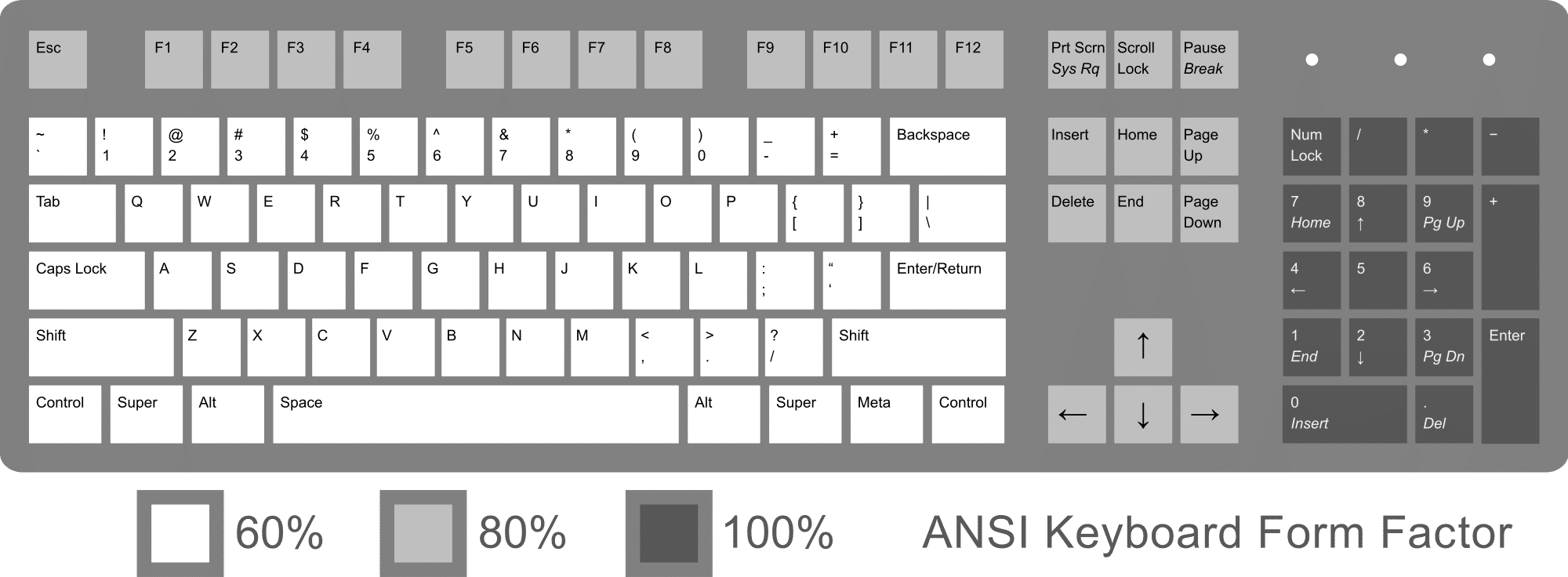

Author/Copyright holder: Rumudiez. Copyright terms and licence: CC BY-SA 3.0

Mobile input is substantially different. Keyboards aren’t as easy to type on when they occupy a tiny space on a touchscreen surface. There’s no mouse at all. Then there’s the addition of gesture controls and eyeball tracking that aren’t commonly available to the desktop user. So what makes for a good user input experience on mobile?

Simple Guidelines for Mobile User Input

Keep it Simple Stupid (KISS)

You don’t want to overwhelm users with page after page of data collection on mobile. It’s simply not practical to try and extract the same volumes of data from a user that you would on a desktop. So keep it simple stupid and try to reduce the input to essential data only. You want to be as thorough as possible when it comes to reducing the number of fields and try to capture data in the most efficient manner possible (for example – you could take a Post Code or ZIP Code instead of large amounts of address data).

Offer Default Inputs When It’s Practical

If you know, for example, that 85% of your customers come from the United States and that 10% come from the UK (with the other 5% coming from everywhere else) – your default country option should be the United States and if you offer a drop down list to choose from, the next option at the top of the page should be the United Kingdom. There’s no need to make users hunt for data that you can reasonably predict. This won’t always be practical but if you can find a decent default choice for a field – make sure that you have it filled in.

Think About the Device Capabilities

You can use motion capture, the camera, the internal accelerometer and gyroscope for positioning, the GPS and of course, voice on a mobile for input options. Mobile app designers seem to already have a pretty good handle on these ideas and take advantage of them wherever they can – mobile web designers, on the other hand, are flagging behind. It’s important to take advantage of simple ways to collect inputs and really build on the capabilities of the devices people use to access the mobile web.

Give the Right Keyboard for the Right Task
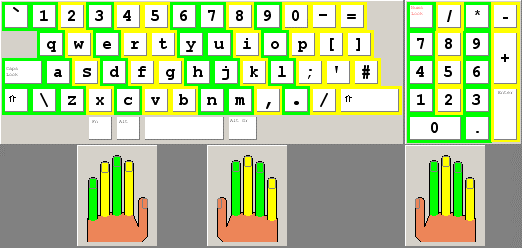
Author/Copyright holder: Jmarchn. Copyright terms and licence: CC BY-SA 3.0

For touchscreen smartphones – if you want the user to enter data – try to give them the right keyboard to do it with. If you’re capturing a telephone number; provide a numeric keyboard to get people started quickly. If you’re capturing a name; provide an alphabetical keyboard. This isn’t rocket science and it saves people from having to switch between the two and thus enables them to focus on providing the right input.

Don’t Forget Not All Phones are Smartphones

There are still people accessing the mobile web on more traditional handsets and it’s a pain in the posterior to enter data from these kinds of phone. Each letter requires multiple key presses and it can be really tedious to enter more than a small amount of data in this way.

Hold Information Where Possible

Assuming the application doesn’t hold hugely sensitive data – don’t make users enter passwords to access the information. Also make it easy to transfer data between devices, there’s no need for someone who has a desktop account to recreate the wheel when opening a mobile account. Data should move seamlessly between the two whenever possible.

Offer Error Minimization

It needs a little thought but if you can integrate auto-complete or spell check or predictive text into your application; you can make it easier on your users when it comes to providing the right information at the right times. However, you don’t want to overdo this as it can become annoying when applied to fields where there are no standard inputs (for example name fields).

Kill CAPTCHA
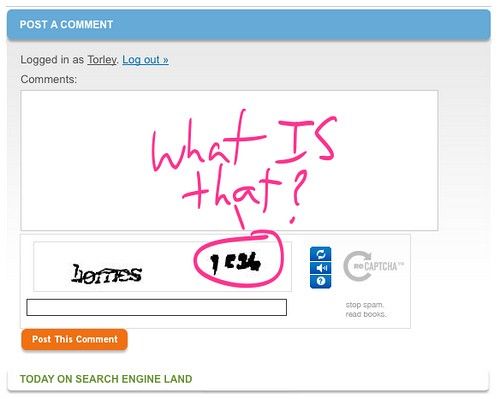
Author/Copyright holder: TORLEY. Copyright terms and licence: CC BY-SA 2.0

There is no bigger irritant online today than the CAPTCHA. You want to design your mobile applications to avoid CAPTCHA whenever possible. The small screens make it less than ideal as a security measure and there are better ways to secure an application (on any screen) than with CAPTCHA.

The Takeaway

Mobile inputs need to be carefully thought out in order to make the user experience a pleasurable one. However, the list above provides good guidelines to direct your thinking when creating mobile apps and mobile websites. Please remember that guidelines are not a substitute for user research and testing your user inputs remains a high priority when trying to deliver effective mobile products.

References

Check out these useful mobile input UI patterns at Design Modo.

The NN Group provides a handy checklist for mobile input design.

Some tips on mobile label positioning: Field Label UX: Place Labels Above the Field

Hero Image: Author/Copyright holder: matt buchanan. Copyright terms and licence: CC BY 2.0

Learn More in This Course:

AI for Designers

9 days
19 % booked
View Course

What You Should Read Next

  • Read full article
    What is Interaction Design? - Article hero image
    Interaction Design Foundation logo

    What is Interaction Design?

    Interaction design is an important component within the giant umbrella of user experience (UX) design. In this article, we’ll explain what interaction design is, some useful models of interaction design, as well as briefly describe what an interaction designer usually does.A simple and useful unders

    Social shares
    1.5k
    Published
    Read Article
  • Read full article
    Apple’s Product Development Process – Inside the World’s Greatest Design Organization - Article hero image
    Interaction Design Foundation logo

    Apple’s Product Development Process – Inside the World’s Greatest Design Organization

    Apple’s Product Development Process may be one of the most successful design processes ever implemented. With a valuation that exceeds $2 trillion, there’s a lot that designers can learn from Apple and introduce into their own design environments.Apple is a notoriously secretive business. In Steve J

    Social shares
    1.4k
    Published
    Read Article
  • Read full article
    Shneiderman’s Eight Golden Rules Will Help You Design Better Interfaces - Article hero image
    Interaction Design Foundation logo

    Shneiderman’s Eight Golden Rules Will Help You Design Better Interfaces

    Follow Ben Shneiderman’s 'Eight Golden Rules of Interface Design' if you want to design great, productive and frustration-free user interfaces. Apple, Google and Microsoft are among some of the highly successful companies whose well-designed products reflect Shneiderman’s rules. The characteristics

    Social shares
    1.4k
    Published
    Read Article
  • Read full article
    How to Change Your Career from Graphic Design to UX Design - Article hero image
    Interaction Design Foundation logo

    How to Change Your Career from Graphic Design to UX Design

    If there’s an occupation that is 100% linked with the public’s idea of what design is all about, it’s graphic design. From the familiar golden arches of the McDonald’s brand to the typography and colors of movie posters, graphic designers create some of the most iconic and ubiquitous designs around

    Social shares
    1.4k
    Published
    Read Article
  • Read full article
    The Grid System: Building a Solid Design Layout - Article hero image
    Interaction Design Foundation logo

    The Grid System: Building a Solid Design Layout

    Now that we’ve seen some grids at work in the Rule of Thirds article, let’s examine them a little more deeply. As a concept that deals so fundamentally with the fabric and background of our work as designers, it’s easy to overlook the power of grids and think more about the elements we want to creat

    Social shares
    1.4k
    Published
    Read Article
  • Read full article
    The Principles of Service Design Thinking - Building Better Services - Article hero image
    Interaction Design Foundation logo

    The Principles of Service Design Thinking - Building Better Services

    Service design is all about taking a service and making it meet the user’s and customer’s needs for that service. It can be used to improve an existing service or to create a new service from scratch. In order to adapt to service design, a UX designer will need to understand the basic principles of

    Social shares
    1.4k
    Published
    Read Article
  • Read full article
    A Simple Introduction to Lean UX - Article hero image
    Interaction Design Foundation logo

    A Simple Introduction to Lean UX

    Lean UX is an incredibly useful technique when working on projects where the Agile development method is used. Traditional UX techniques often don’t work when development is conducted in rapid bursts – there’s not enough time to deliver UX in the same way. Fundamentally Lean UX and other forms of UX

    Social shares
    1.3k
    Published
    Read Article
  • Read full article
    Dieter Rams: 10 Timeless Commandments for Good Design - Article hero image
    Interaction Design Foundation logo

    Dieter Rams: 10 Timeless Commandments for Good Design

    Let’s pay a virtual visit to a famous industrial designer’s workshop. By examining the principles of his winning approach, we can incorporate vital elements into our designs in the “less is more” age.As user experience practitioners, most of us have worked with Nielsen and Molich’s 10 heuristics or

    Social shares
    1.3k
    Published
    Read Article
  • Read full article
    The 7 Factors that Influence User Experience - Article hero image
    Interaction Design Foundation logo

    The 7 Factors that Influence User Experience

    User Experience (UX) is critical to the success or failure of a product in the market but what do we mean by UX? All too often UX is confused with usability which describes to some extent how easy a product is to use and it is true that UX as a discipline began with usability – however, UX has grown

    Social shares
    1.3k
    Published
    Read Article
  • Read full article
    10 Free-to-Use Wireframing Tools for UX Designers in 2026 - Article hero image
    Interaction Design Foundation logo

    10 Free-to-Use Wireframing Tools for UX Designers in 2026

    Wireframes help you quickly ideate and test your ideas. While paper wireframes are the fastest to create, digital wireframes look more polished and presentable. If you are looking for a pocket-friendly wireframing tool, look no further.Whether you prefer browser-based apps or offline desktop tools,

    Social shares
    1.3k
    Published
    Read Article

Top Articles

Top Topic Definitions

Feel Stuck?
Want Better Job Options?

AI is replacing jobs everywhere, yet design jobs are booming with a projected 45% job growth. With design skills, you can create products and services people love. More love means more impact and greater salary potential.

At IxDF, we help you from your first course to your next job, all in one place.

See How Design Skills Turn Into Job Options
Privacy Settings
By using this site, you accept our Cookie Policy and Terms of Use.
Customize
Accept all

Be the One Who Inspires

People remember who shares great ideas.

Share on:

Academic Credibility — On Autopilot

Don't waste time googling citation formats. Just copy, paste and look legit in seconds.

Feel Stuck? Want Freedom?

Get one powerful email each week, like 326,015 others.

Learn to design a life you love.

Next email in
6
days
0
hrs
14
mins
43
secs