In this video, Frank Spillers, Service Designer and Founder and CEO of Experience Dynamics, explains how making content screen-reader friendly through clearer structure and meaningful text, like headings, alt text, captions, and transcripts, can reduce “junk” for users while also strengthening SEO signals.
Modern Screen Reader Navigation
While the core principle of reducing unnecessary verbosity remains essential, it's important to note that modern screen readers offer sophisticated navigation features that help users work more efficiently. Users can navigate by:
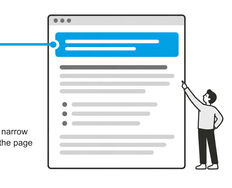
Headings (H1, H2, H3, etc.) to jump directly to relevant sections.
Landmarks (navigation, main content, search) to skip to key page areas.
Skip links to bypass repetitive navigation elements.
Element lists to view all links, headings, or form fields at once.
Additionally, screen reader users can customize verbosity levels to control how much detail they hear, from minimal announcements to comprehensive descriptions. This means they're not forced to listen to all content sequentially.
However, these features only work effectively when content is properly structured with semantic HTML, meaningful headings, and appropriate ARIA landmarks. Poor accessibility implementation still forces users to navigate inefficiently or miss important content entirely. This underscores why the optimization principles discussed in the video, like clear heading hierarchies, descriptive link text, proper alt attributes, and logical content ordering, remain critical for creating genuinely usable experiences.