Getting Lost and Found – Maps and the Mobile User Experience

• 8 min read

654 Shares

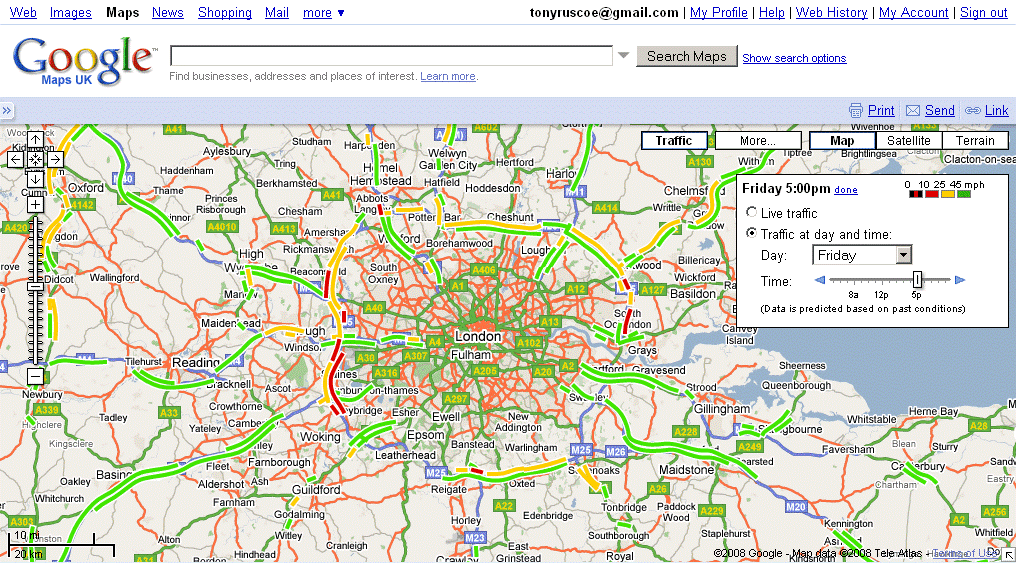
The ability to harness GPS data and map data on smartphone platforms offers designers a chance to enhance the user experience of their products. However, in order for maps to deliver better experiences for users – it’s important to integrate these features with UX in mind. There are some sensible rules that can be used to increase your chances of success when using location data and maps in mobile apps.
Author/Copyright holder: Search Engine People Blog. Copyright terms and licence: CC BY 2.0

There’s no doubt that the smartphone has brought users and designers a wealth of choices when it comes to new facilities; one of the most popular of those is the GPS (Global Positioning System) functionality. GPS can be used to calculate the user’s position and be combined with map data to provide ways for users to find locations and get directions to them.

However, it is important to consider how you will implement maps within your mobile websites and applications before automatically deciding on their conclusion. Research from the Nielsen Norman Group found that when presented with a mobile site which did not include a map on location search results pages – not a single user wished that a map had been provided. In fact their research recommended that maps should be an option for users to toggle out to and that location data should be presented as a list ordered by mileage from the nearest location in the first instance.

Why is this the case? It is almost certainly because maps within mobile apps and websites fail to take into account certain usability considerations.

Usability Considerations when Implementing Maps in Mobile Designs

Scrolling and Panning

One of the nice things about maps is the ability to pan across them by dragging the map. This functionality works extremely well in a desktop environment when the user clicks on the map and then drags the map with a mouse. It is more difficult to pull off on a smartphone screen where the user interface is a touch screen.

Users will often scroll the page rather than pan or vice-versa because the boundaries of the map and the boundaries of the screen conflict. This may be overcome with the use of borders around the map so that the user has a distinct area for panning within.

Pinpoints Conflict with Target Sizes

It can be easy for designers to forget that touchscreens are not the most sensitive of devices and that ideally, for a user to click on an area, it needs to be about 36 x 36 px.

Pinpoints on maps are all too often rendered smaller than this 36 x 36 px target which makes it difficult for the user to affix on a target and interact with it.

There is also the issue that if a map is presented at too high a level; there may be pinpoints found at the same location on the same screen. Differentiating between these pinpoints via touch is a frustrating experience. This may be handled by using notifications that allow the user to touch a single point and then choose from a list of pins or by presenting a map at the appropriate magnification to ensure all pins are distinct and separate.

Author/Copyright holder: Arambar. Copyright terms and licence: CC BY-SA 4.0

Touchscreens, Networks and Other Issues

The touchscreen is not the most sensitive of devices and when combined with a slow network connection; maps can often lead to frustration beyond the designer’s control. A user who uses the screen to expand a map view, for example, may find that a slow network connection makes it appear their efforts are not having the correct impact.

This in turn leads to the user redoubling their efforts and over expanding the view, which becomes a source of frustration. It is difficult for the map interface to provide useful feedback to a user in these circumstances – it is very much worth considering an option to allow the user to move directly away from the map and back to a list view of locations at any given point in their interaction with the map.

Gesture Control

The simpler you keep the UI on the map, the more likely you are that your pins and controls will meet that 36 x 36 px guideline for touch points. That does not mean that you cannot offer additional functionality to a map user. It does mean that you will need to consider gesture controls for this additional interactive functionality. These gesture controls may not be immediately obvious or intuitive for the user and will need careful application to add real value to the user-experience.

Author/Copyright holder: Intel Free Press. Copyright terms and licence: CC BY 2.0

Tool Bar Positioning

Tool bars can occupy a big chunk of screen real estate and they must remain spaced out far enough from the map itself so that the user does not accidentally end up activating the tool bar when trying to interact with the map.

Ideally, tool bars should also be simplified and reduced when the user is engaged with the map to try and accommodate the easiest interactions with the map.

Author/Copyright holder: BaseCamp. Copyright terms and licence: Fair Use.

Help and Escape

The final tip for implementing maps is one that applies to many areas of UX design. Always give your users a little assistance (you can use pop up messaging to aid understanding of gesture controls or other functionality that may require explanation, for example) and a way to get out of the map and back to a more familiar interface.

The Take Away

Implementing GPS and map functionality may not be necessary and it is a good idea to test the requirement with users prior to implementation. If it is useful to your user base, you should try to incorporate the guidelines in this article in order to improve the UI and UX of the map implementation. Maps are a real challenge for small screens on smartphones and need careful handling to provide value to users rather than detract from it.

References & Where to Learn More:

A case study in map deployment using Google maps.

An interesting examination of usage issues for map data within mobile apps.

Brad Frost examines the adaptive map.

Hero Image: Author/Copyright holder: Johan Larsson. Copyright terms and licence: CC BY 2.0

Learn More in This Course:

AI for Designers

12 days
13 % booked
View Course

What You Should Read Next

  • Read full article
    Bad Design vs. Good Design: 5 Examples We Can Learn From - Article hero image
    Interaction Design Foundation logo

    Bad Design vs. Good Design: 5 Examples We Can Learn From

    Looking at examples of bad design alongside counter-examples of good design is not only fun but also draws important lessons for designers. They highlight pitfalls for designers to avoid and let us understand how to translate design theories into solutions that work in the real world. Jared Spool, t

    Social shares
    1.5k
    Published
    Read Article
  • Read full article
    What is Interaction Design? - Article hero image
    Interaction Design Foundation logo

    What is Interaction Design?

    Interaction design is an important component within the giant umbrella of user experience (UX) design. In this article, we’ll explain what interaction design is, some useful models of interaction design, as well as briefly describe what an interaction designer usually does.A simple and useful unders

    Social shares
    1.5k
    Published
    Read Article
  • Read full article
    Apple’s Product Development Process – Inside the World’s Greatest Design Organization - Article hero image
    Interaction Design Foundation logo

    Apple’s Product Development Process – Inside the World’s Greatest Design Organization

    Apple’s Product Development Process may be one of the most successful design processes ever implemented. With a valuation that exceeds $2 trillion, there’s a lot that designers can learn from Apple and introduce into their own design environments.Apple is a notoriously secretive business. In Steve J

    Social shares
    1.4k
    Published
    Read Article
  • Read full article
    10 Great Sites for UI Design Patterns - Article hero image
    Interaction Design Foundation logo

    10 Great Sites for UI Design Patterns

    You don’t want to spend your whole life redesigning the wheel, do you? No, neither do we. If you are looking for a design that solves a problem that has been solved with a different application before, then the template for your wheel is probably already out there. This lets you save time and make a

    Social shares
    1.4k
    Published
    Read Article
  • Read full article
    Shneiderman’s Eight Golden Rules Will Help You Design Better Interfaces - Article hero image
    Interaction Design Foundation logo

    Shneiderman’s Eight Golden Rules Will Help You Design Better Interfaces

    Follow Ben Shneiderman’s 'Eight Golden Rules of Interface Design' if you want to design great, productive and frustration-free user interfaces. Apple, Google and Microsoft are among some of the highly successful companies whose well-designed products reflect Shneiderman’s rules. The characteristics

    Social shares
    1.4k
    Published
    Read Article
  • Read full article
    User Interface Design Guidelines: 10 Rules of Thumb - Article hero image
    Interaction Design Foundation logo

    User Interface Design Guidelines: 10 Rules of Thumb

    Learn to design with your user’s needs and expectations in mind by applying Jakob Nielsen and Rolf Molich’s Ten User Interface Guidelines. These heuristics have been reflected in many of the products designed by some of the most successful companies in the world such as Apple, Google, and Adobe. Fur

    Social shares
    1.4k
    Published
    Read Article
  • Read full article
    How to Change Your Career from Graphic Design to UX Design - Article hero image
    Interaction Design Foundation logo

    How to Change Your Career from Graphic Design to UX Design

    If there’s an occupation that is 100% linked with the public’s idea of what design is all about, it’s graphic design. From the familiar golden arches of the McDonald’s brand to the typography and colors of movie posters, graphic designers create some of the most iconic and ubiquitous designs around

    Social shares
    1.4k
    Published
    Read Article
  • Read full article
    Repetition, Pattern, and Rhythm - Article hero image
    Interaction Design Foundation logo

    Repetition, Pattern, and Rhythm

    Let’s look at three subjects that, at first glance, may strike you as being incredibly basic and self-explanatory. However, although they may seem like they should need no introduction, we should study them. By understanding these concepts, you’ll be able to apply them more effectively to captivate

    Social shares
    1.4k
    Published
    Read Article
  • Read full article
    The Grid System: Building a Solid Design Layout - Article hero image
    Interaction Design Foundation logo

    The Grid System: Building a Solid Design Layout

    Now that we’ve seen some grids at work in the Rule of Thirds article, let’s examine them a little more deeply. As a concept that deals so fundamentally with the fabric and background of our work as designers, it’s easy to overlook the power of grids and think more about the elements we want to creat

    Social shares
    1.4k
    Published
    Read Article
  • Read full article
    The Principles of Service Design Thinking - Building Better Services - Article hero image
    Interaction Design Foundation logo

    The Principles of Service Design Thinking - Building Better Services

    Service design is all about taking a service and making it meet the user’s and customer’s needs for that service. It can be used to improve an existing service or to create a new service from scratch. In order to adapt to service design, a UX designer will need to understand the basic principles of

    Social shares
    1.4k
    Published
    Read Article

Top Articles

Top Topic Definitions

Feel Stuck?
Want Better Job Options?

AI is replacing jobs everywhere, yet design jobs are booming with a projected 45% job growth. With design skills, you can create products and services people love. More love means more impact and greater salary potential.

At IxDF, we help you from your first course to your next job, all in one place.

See How Design Skills Turn Into Job Options
Privacy Settings
By using this site, you accept our Cookie Policy and Terms of Use.
Customize
Accept all

Be the One Who Inspires

People remember who shares great ideas.

Share on:

Academic Credibility — On Autopilot

Don't waste time googling citation formats. Just copy, paste and look legit in seconds.

Feel Stuck? Want Freedom?

Join 326,029+ designers who get one powerful email each week. Learn to design a life you love.

Next email in
1
day
13
hrs
55
mins
11
secs

Free forever. No spam. Unsubscribe anytime.