In a global market, there’s big money to be made by bringing in new audiences and users for your products. However, there’s more to winning over audiences than just translating text into another language and waiting for the shopping carts to fill up. Translation is a small part of the overall process of localization. The bigger picture requires just as much attention to detail as the translation does.
Context, Context, Context
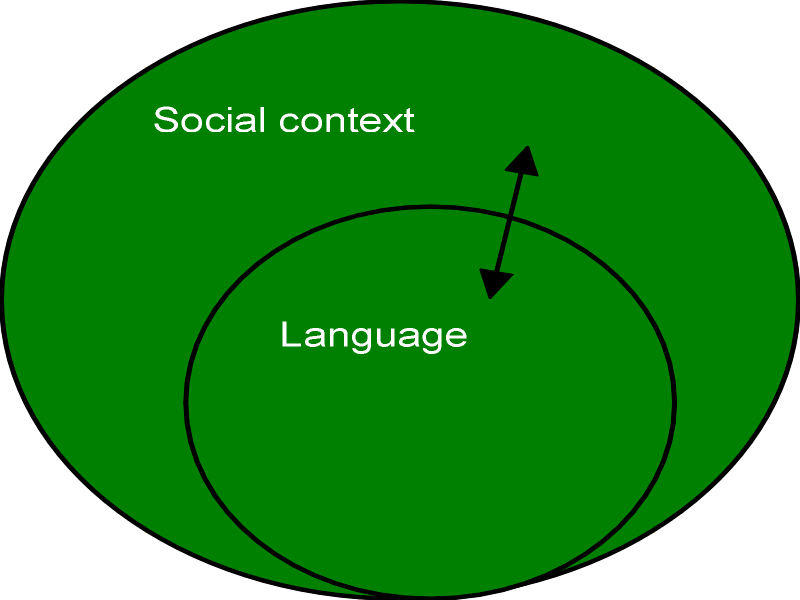
One of the reasons that translation of materials doesn’t work well on its own is the cultural context within which those materials will be used. People can have the same job title, work in the same industry and earn roughly the same money and still work in incredibly different ways.
English-speaking Western cultures are often quite informal about the way they pursue business. There may be a hierarchy but it’s OK to step outside of it. Turning up without a suit is becoming the norm in many places. Yet, if you were to visit these people’s counterparts in China; you’d find that the hierarchy is inflexible. Stepping outside of it would cause loss of face. Turning up without formal dress for many roles would be a firing offence.
There’s an informality of language and a minimalist approach to information in some places, in others language needs to be formal and a lot more information is expected from a business.
For localization to succeed, you need a thorough understanding of the cultural context. If you don’t; it’s very likely that your message will miss the mark. You aren’t likely to have this understanding in house and the easiest way to get it – is to find a localization consultant specializing in the market you want to enter.
Author/Copyright holder: Jim Martin. Copyright terms and licence: All rights reserved Img source
Translation Does Matter
China, Hong Kong and Taiwan may all be “Chinese” but the main languages they speak and write are very different. Once you have an idea of the context your text will be used in and have amended it accordingly; you’re ready to translate.
The easiest and most effective way to do this will be to use your localization consultants for this. Unfortunately, this can be costly and smaller businesses might struggle to afford their translation services.
There is an alternative, of sorts, that you can investigate. You can use a freelance translator (find them on Odesk or Elance) and reduce your costs. However, you ought to be aware that not all freelance translators are created equal. It’s a good idea to run a small, paid, test project and then have a user give it the once over for effectiveness – otherwise, you may be paying for nothing but “Google translate” which won’t provide the polished experience that you’re looking for, for your customers.

Author/Copyright holder: Sarah Joy. Copyright terms and licence: CC BY-SA 2.0
Technical Considerations
Languages operate differently. That means there may be things you need to address on the technical side in order to display text correctly.
Things that might be necessary include:
- How will the language be displayed?
- In which direction does the language need to be displayed?
- How much space is needed to present the text?
- Which way will you encode the characters of that language?
- Will name fields need reversing so that the last name is first and the first name is last?
- How will dates and currencies be handled?
- How will you deliver the local calendar?
Layout
Many Western languages run left to right. Many others do not. Arabic runs right to left. Japanese and Chinese can be written top to bottom. You’ll want to consider the way that you layout the page for localization. The traditional “F” shape of Western websites can be a strong deterrent to users who don’t read or scan pages in the same way that we do.
Space
Do you know why China has no firm favourite Facebook alternative? It’s because their version of Twitter, Sina Weibo, which allows a few more characters than Twitter – allows for lengthy expression. Chinese users don’t need as much space to express themselves in. Most Chinese words consist of one or two characters. You can fit an awful lot more Chinese in a space than you can fit English into it. Other languages, like German, often require a lot more space than English.
Ideally, you want to plan for this right from the start of a project because it can be very tricky to amend sites afterwards.
It’s also worth noting that Chinese and Japanese, for example, require more space per character than English – the characters are more complex to form than English characters.
Encoding
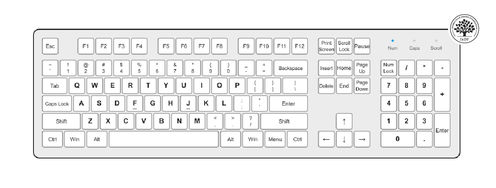
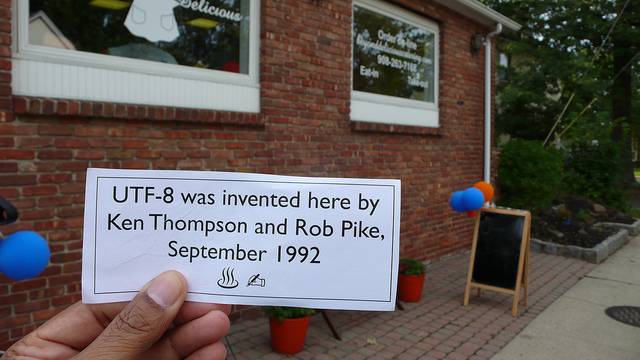
It’s estimated that there are more than 100,000 characters in use around the world in different languages! That means developing websites that are encoded to cope with this level of variety. UTF-8 is fine for most markets but UTF-16 is better in Asia.
Take special care when using fonts to ensure that they work properly and don’t strip out characters from font sets to improve loading times – nobody wants to see gibberish because the characters are replaced with boxes.
Author/Copyright holder: Anthony Sparks Copyright terms and licence: CC BY-NC 2.0
Dates, Currencies, Etc.
Pay close attention to the small details. Americans work in MM-DD-YYYY, Britons in DD-MM-YYYY, and the Chinese in YYYY-MM-DD. Entering dates incorrectly can mess up delivery times and ruin customer satisfaction ratings.
The same goes for numerical input. Separators and decimal points, etc. vary dramatically.
Choosing a Language
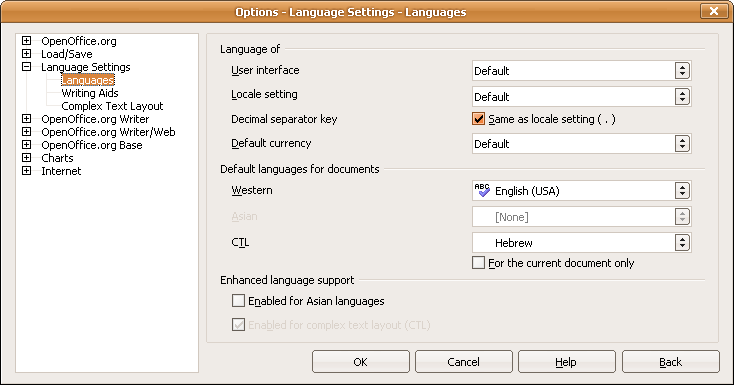
Ideally, you want to be able to display the user’s language as soon as they land on the site. But that’s not as easy as it sounds. It took me a while to learn how to get English on my Facebook account in China (before Facebook was blocked there) because I don’t read Chinese. In countries like Switzerland there may be multiple first choice languages available. Auto-selecting a language based on the incoming IP address is fine – but make it easy for your users to switch to another if the auto-select doesn’t deliver the goods.
Author/Copyright holder: Mintz I. Copyright terms and licence: Fair Use
Supporting a Language
Rome wasn’t built in a day and language support isn’t immediate either. In many cases, particularly for large sites, localization is an ongoing job. Why not let your users know how much support they can expect and what content isn’t available yet (or at all)?
The Long-Term
Localization is not a one-off exercise. Every time you make changes to your English language website, you’re going to need to reflect them elsewhere in other languages. You need to budget time, money and effort for these exercises or your initial efforts will quickly be in vain.
Summary
The list above gives you an idea of what you need to do to prepare and maintain a website localization project. Tomorrow, we’ll look at how you can do even more to make your localization efforts pay dividends.
Header Image: Author/Copyright Holder: Kevin Cornell. Copyright terms and licence: All rights reserved.
Img