A hand holds a black microphone with a large round foam windscreen

5 Simple Usability Tips

• 4 min read

577 Shares
Save

Want to improve the usability of your website but don’t have much in the way of time or budget to do it? Then we have 5 simple usability tips that are easy to implement and which won’t break the bank:

Facial Alignment Matters

You can use the images of faces to highlight the most important content on a page. We’re social animals and we use our faces to communicate our mood and our interests without even thinking about it. That means when we see other people; we instinctively look to their faces to try and decipher some of that information.

Author/Copyright holder: Bill Dickinson. Copyright terms and licence: CC BY-NC 2.0

We also tend to follow people’s eyes. If you walk into a room and everyone is staring behind you what do you do? Most people will glance behind them to find out what people are looking at.

You can use facial images to pull this trick online too. If your face’s eyes are pointing at something; people will tend to look where they’re looking.

People Hate Scrolling

A survey by Jakob Nielsen, showed that less than a quarter of first-time visitors to a web presence will engage the scroll functionality. That means more than three-quarters of people never scroll down the page. So if you want your content to have maximum impact; it needs to be above the fold. Now, you can’t put everything over the fold (without creating a mess) so you need to prioritize the most important content and then try and place it there instead.

Author/Copyright holder: SamahR. Copyright terms and licence: CC BY 2.0

We’d suggest that your value proposition is clear. That a user can identify where they are (yes, make your brand and name clear above the fold). And that you make it easy for them to move to other parts of the site if they want to do so.

We Are Creatures of Habit

Don’t spend any time at all thinking about the colours for your links; choose blue. Why? Because we’re creatures of habit and pretty much everything from Google to Microsoft Word uses blue links. Why reinvent the wheel? Show us a pattern we know and we’ll conform to it; we’re creatures of habit because it’s less time consuming than learning something new every time we do the same thing.

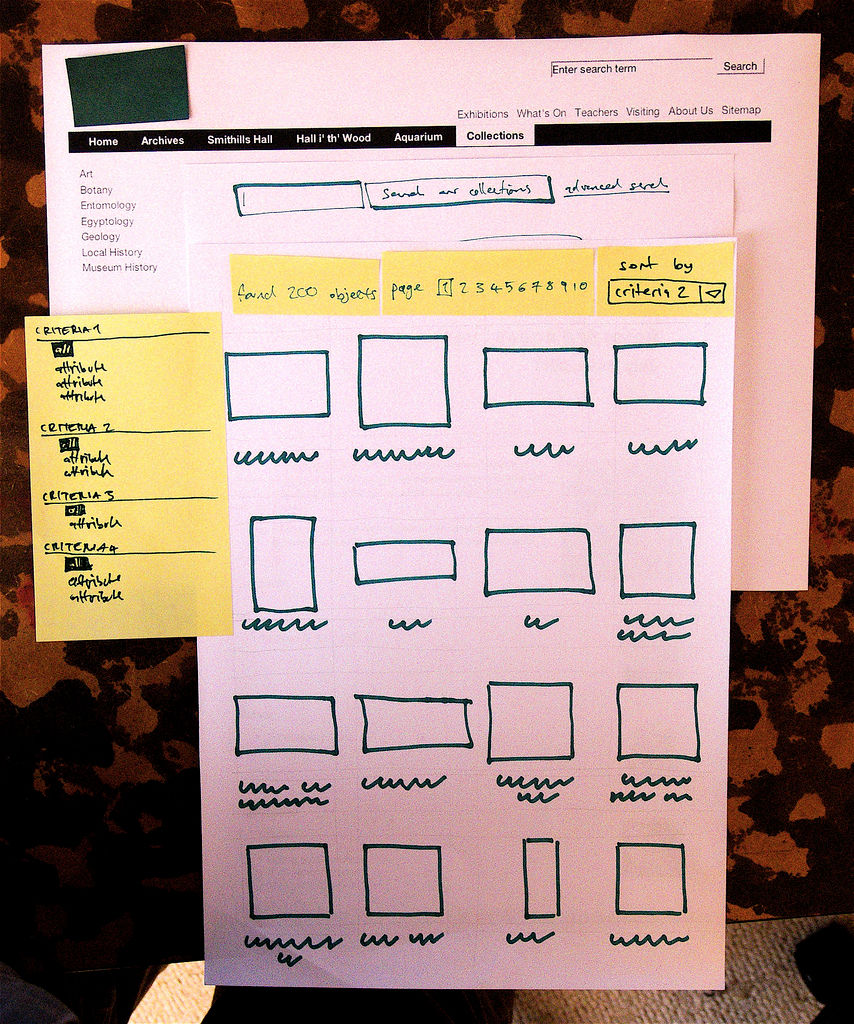
Expand the Search Box

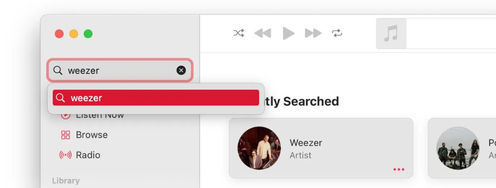
We’re in an age where we ask search engines complex questions all the time. This is easy when you land on the Google home page but on most websites… there’s a tiny little box in the top right hand corner. People are more likely to ask questions when they’re sure they’ve asked them properly.
Author/Copyright holder: Yandle . Copyright terms and licence: CC BY 2.0

How big is big enough? The same Jakob Nielsen survey suggests that 27 characters could be good. They said that around 9 in 10 queries will fit in that space.

Be Informative

Author/Copyright holder: Benjamint444. Copyright terms and licence: CC BY-SA 3.0

Product pages are often terribly short on detail. Yet, that’s the detail that makes the sale. People want information so they can make informed decisions. Even if they don’t read the data; they like the security of having it to hand. When you add detail to product pages – you help users make decisions, purchasing decisions. However, don’t make it too complicated. Break it down into tables, charts, images and keep paragraphs short. Nobody likes a wall of text either.

Header Image: Author/Copyright holder: Andre Charland. Copyright terms and licence: CC BY 2.0

Learn More in This Course:

Learn Design and AI From the Best

Get one powerful email each week, like 313,403 others.

Next email in:

What You Should Read Next

  • Read full article
    What Is Card Sorting? - Article hero image

    What Is Card Sorting?

    In this video, William Hudson, UX Strategist and Founder of Syntagm Ltd, introduces card sorting: what it is, where it comes from, and the broad range of problems it can help solve.Card sorting is a research technique in which participants organize a set of items into groups that make sense to them,

    Social shares
    27
    Published
    Read Article
  • Read full article
    Design Accessible Navigation for Keyboards and Screen Readers - Article hero image

    Design Accessible Navigation for Keyboards and Screen Readers

    Accessibility is often treated as a finishing touch, but for navigation, it belongs at the foundation. Menus are how users reach everything else on a site, so a menu that works only with a mouse quietly shuts out anyone who depends on a keyboard, a screen reader, or another form of assistive technol

    Social shares
    33
    Published
    Read Article
  • Read full article
    The Scent of Information: Give Users the Confidence to Click - Article hero image

    The Scent of Information: Give Users the Confidence to Click

    William Hudson, UX Strategist and Founder of Syntagm Ltd, introduces the scent of information as a model for understanding how users navigate toward their goals, and sets out the principles for writing navigation links that strengthen that scent.Information Foraging and the Scent of InformationThe s

    Social shares
    32
    Published
    Read Article
  • Read full article
    Bad UX Exposed: A Comprehensive Guide to Avoiding Pitfalls - Article hero image

    Bad UX Exposed: A Comprehensive Guide to Avoiding Pitfalls

    In today’s vibrant digital design landscape, creating meaningful connections with users goes beyond offering innovative products or services. It leads us into the world of user experience design (or UX design). This critical factor shapes our interaction with the users and plays a big role in making

    Social shares
    973
    Published
    Read Article
  • Read full article
    Understand the Various Types of Creativity - Article hero image

    Understand the Various Types of Creativity

    When you want to be more creative, you’ll want to learn the techniques for creative thinking and understand the various forms of creativity and creative processes. This video will give you an overview of some of the different forms of creativity. For example, you’ll learn that there are two types of

    Social shares
    573
    Published
    Read Article
  • Read full article
    Design Podcasts to Learn UX on the Go - Article hero image

    Design Podcasts to Learn UX on the Go

    As digital designers, we know the bulk of our day is spent looking at screens. Give your eyes some rest, and tune into podcasts instead. They are a great way to stay updated, gain insights, be inspired or experience “A-ha” moments. The best part about podcasts is that unlike reading or watching vide

    Social shares
    640
    Published
    Read Article
  • Read full article
    User Experience (UX) Surveys: The Ultimate Guide - Article hero image

    User Experience (UX) Surveys: The Ultimate Guide

    Imagine you’re a business owner who wants to know what’s working and what’s not on your website—and, oh yes, where you need improvements. Sure, there are a bunch of research methods you can try—like user interviews, usability tests, and A/B testing, but read on and see how a user experience (UX) sur

    Social shares
    1k
    Published
    Read Article
  • Read full article
    Don Norman: How You Can Rapidly Move Up by Thinking in Systems (Not Features) - Article hero image

    Don Norman: How You Can Rapidly Move Up by Thinking in Systems (Not Features)

    How can you move up in a company? Learn the fundamentals of business such as statistics, finance, accounting, marketing, supply chain and administration. How do you do that? One way to do this is to get a Master of Business Administration (MBA) degree. But Don says you can also learn them without go

    Social shares
    613
    Published
    Read Article
  • Read full article
    How to Find Your Voice: Speak with Confidence and Clarity - Article hero image

    How to Find Your Voice: Speak with Confidence and Clarity

    You’ve heard it before “It’s not what you said—it’s how you said it.” Your voice can change how people feel—even if your message doesn’t. If you vary your tone and pacing, you can make your ideas sound more trustworthy, exciting, or urgent. Harness this neuroscience-backed communication power and yo

    Social shares
    454
    Published
    Read Article
  • Read full article
    Avoid Death by PowerPoint: Structure Your Slides for Maximum Impact - Article hero image

    Avoid Death by PowerPoint: Structure Your Slides for Maximum Impact

    Your message is ready, your delivery honed. Now, how do you put that brilliance on slides? Discover how to structure your slide deck strategically so that it supports your message, whether you present live or share it for independent review.Whether you're pitching to stakeholders, leading a team mee

    Social shares
    427
    Published
    Read Article

Top Articles

Top Topic Definitions

39% of Today's Skills Will Change by 2030

The World Economic Forum expects 39% of today's skills to be transformed or become outdated by 2030.

The good news is that jobs in UX / UI design and AI are among the fastest-growing professions globally.

Build Skills That Keep You Relevant

Privacy Settings

By using this site, you accept our Cookie Policy and Terms of Use.
Customize
Accept all

Be the One Who Inspires

People remember who shares great ideas.

Share on:

Academic Credibility — On Autopilot

Don't waste time googling citation formats. Just copy, paste and look legit in seconds.

Learn Design and AI From the Best

Get one powerful email each week, like 313,403 others.

Next email in: