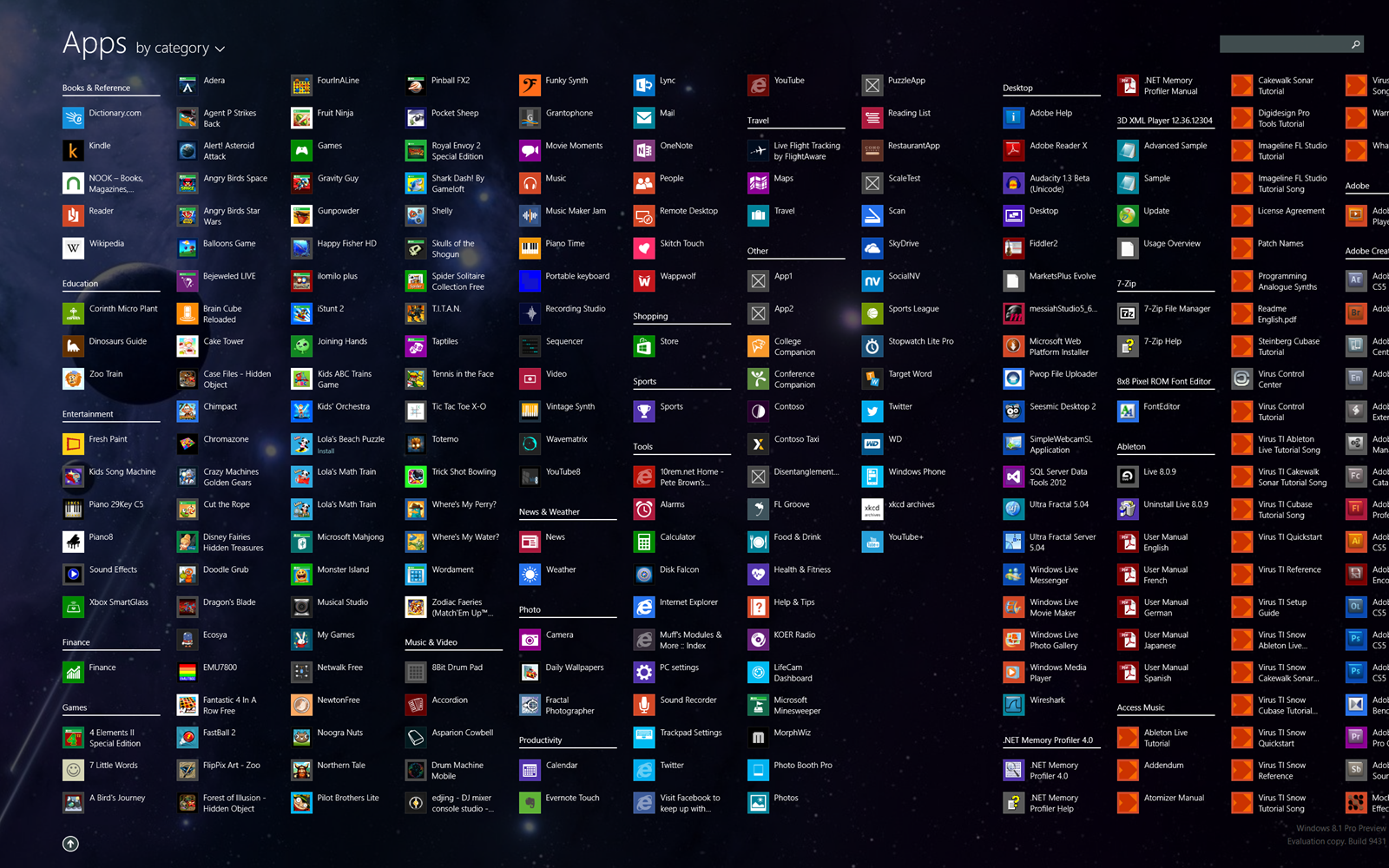
Apps by category screen displaying colorful application icons and names arranged across numerous categories

A Brief History of the Origin of the Computer Icon

• 6 min read

785 Shares
Save

The humble icon has come a long way in a very short time. For those of us who have grown up in the modern age it may feel like this is a world that has never lacked for computer icons; they are ubiquitous. The reality is that the icon is a rather more recent invention with the first real icon based GUI only appearing for consumers in 1981!

It is worth noting that the word icon is derived from the Greek word eikon and literally means “image”. Iconography (the study of icons) has been traditionally associated with religions where icons are images of holy figures. However, as an icon in computing is an image that is supposed to represent a function; the term was hijacked and today there is almost certainly more work done on icons in technology than icons in religion.

The Xerox Star

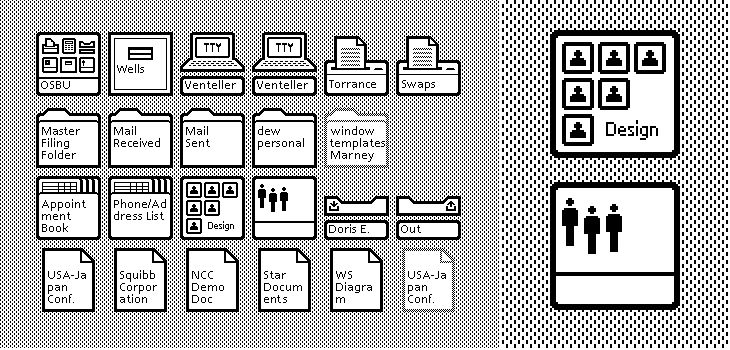
Xerox is credited with developing the first GUI (graphical user interface) in the early 1970s. This GUI was applied to the Xerox Alto; a research computer that cost an incredible amount of money. Only around 2,000 of them were ever sold and as such it wasn’t really a “consumer” machine.

However, the Xerox Alto would lend all its aspects to the Xerox Star which in 1981 became the first ever consumer release model to use icons. These icons such as trash cans and folders and printers, have remained nearly unchanged all the way through to today.


The Apple Lisa and The Apple Macintosh

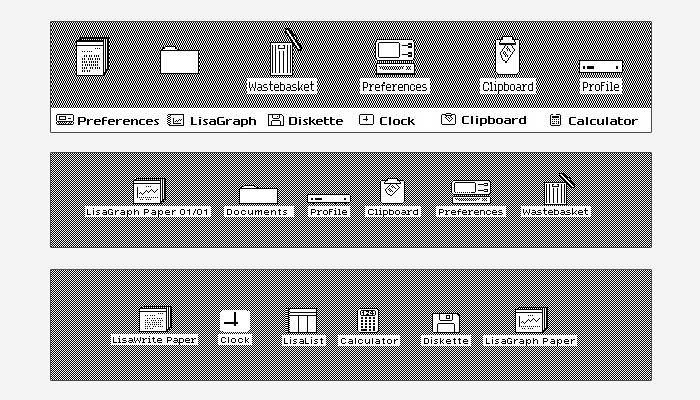
The Xerox Star is not particularly well-remembered and it took the release of the Apple Lisa in 1983 to make the use of icons as part of a GUI popular. The icons on the Apple Lisa were near identical to those on the Xerox though some of them were drawn with a little more attention to detail.

The Macintosh was released in 1984 and the machine’s icons are legendary. The artist Susan Kare designed the icons for this machine and she said; “"I believe that good icons are more akin to road signs rather than illustrations, and ideally should present an idea in a clear, concise, and memorable way. I try to optimize for clarity and simplicity even as palette and resolution options have increased."

Susan Kare would go on to design the icons used in Windows 3.1 too in 1992.


The Amiga Workbench

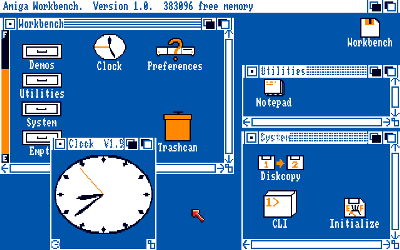
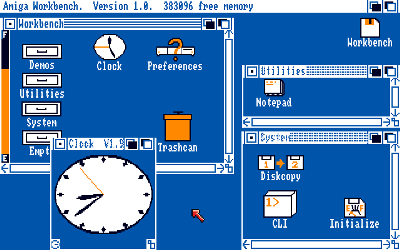
It took until 1985 before icons became more than just black and white representations. The first four colour icons appeared on the Amiga 1000. This also allowed for multi-state icons; icons which showed you at what phase of a process you were.


The Apple Macintosh (Again)

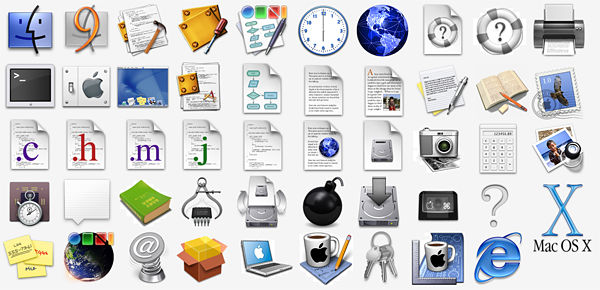
Those lovely folks at Apple gave the Macintosh line a reboot in 1991 and introduced colour icons and a “raised” effect that showed clearly that the icons were meant to be “clicked”.

Then Apple raised the bar again in 2001 through Mac OS X (v 10.0) and the “Jelly Mac” came equipped with the most realistic icons ever seen. Though Microsoft were also refining icons that year and Windows XP came with icons that all use a single light source with semi-transparent drop shadow.

Apple went back to the drawing board in 2007 and developed a different way to stack their icons; though the icons themselves were left nearly unchanged.


If you’d like to learn more about icons and other forms of visual representation in computing and technology; please read Alan Blackwell’s book here which goes into much more detail. It’s free to read online.

Imgs: Xerox Star, Apple Lisa, Amiga Workbench, Mac Icons, Banner Icons

Learn More in This Course:

Learn Design and AI From the Best

Get one powerful email each week, like 312,592 others.

Next email in:

What You Should Read Next

  • Read full article
    Turn Your Non-Design Experience into Design Portfolio Gold - Article hero image

    Turn Your Non-Design Experience into Design Portfolio Gold

    Have you ever wondered how to transition into UX and product design from a different career background without feeling insecure? Let's uncover strategies to confidently bridge the gap and showcase your skills to prospective employers with confidence and clarity.In this video, Morgane Peng, Desi

    Social shares
    506
    Published
    Read Article
  • Read full article
    Structure First: The Inverted Pyramid and Visual Organization - Article hero image

    Structure First: The Inverted Pyramid and Visual Organization

    This clip examines two principles that work hand in hand to make web content readable: the inverted pyramid approach to information order and the use of visual structure to help users scan efficiently. William Hudson, UX Strategist and Founder of Syntagm Ltd, describes the theoretical basis and prac

    Social shares
    197
    Published
    Read Article
  • Read full article
    What Is Card Sorting? - Article hero image

    What Is Card Sorting?

    In this video, William Hudson, UX Strategist and Founder of Syntagm Ltd, introduces card sorting: what it is, where it comes from, and the broad range of problems it can help solve.Card sorting is a research technique in which participants organize a set of items into groups that make sense to them,

    Social shares
    163
    Published
    Read Article
  • Read full article
    Design Accessible Navigation for Keyboards and Screen Readers - Article hero image

    Design Accessible Navigation for Keyboards and Screen Readers

    Accessibility is often treated as a finishing touch, but for navigation, it belongs at the foundation. Menus are how users reach everything else on a site, so a menu that works only with a mouse quietly shuts out anyone who depends on a keyboard, a screen reader, or another form of assistive technol

    Social shares
    164
    Published
    Read Article
  • Read full article
    The Scent of Information: Give Users the Confidence to Click - Article hero image

    The Scent of Information: Give Users the Confidence to Click

    William Hudson, UX Strategist and Founder of Syntagm Ltd, introduces the scent of information as a model for understanding how users navigate toward their goals, and sets out the principles for writing navigation links that strengthen that scent.Information Foraging and the Scent of InformationThe s

    Social shares
    162
    Published
    Read Article
  • Read full article
    4 UI Design Tips Every Designer Needs to Know - Article hero image

    4 UI Design Tips Every Designer Needs to Know

    User interface (UI) design can make or break any digital product. A user often won’t even notice when they interact with a great UI. They feel the visual appeal and simply trust it. On the contrary, a bad UI design can prevent the user from interacting with a product intuitively or at all and lead t

    Social shares
    646
    Published
    Read Article
  • Read full article
    How to Design Use Cases in UX - Article hero image

    How to Design Use Cases in UX

    Imagine a new mobile app or an e-commerce site gets launched; it looks great, sure, and it should be a hit because it at least looks like it’s got what it takes, but—drumroll—it tanks in the marketplace, all because people find it hard to complete even the simplest tasks. That’s rough, but—behind th

    Social shares
    803
    Published
    Read Article
  • Read full article
    How to Become a Product Manager: Best Career Advice - Article hero image

    How to Become a Product Manager: Best Career Advice

    Pick any product and you’ll find that product management is vital to how successful it is—and product managers are who make sure that a product’s life cycle runs smoothly, and it means they know how to align strategy, vision, and user needs. Product managers split into multiple roles that have got u

    Social shares
    602
    Published
    Read Article
  • Read full article
    Bad UX Exposed: A Comprehensive Guide to Avoiding Pitfalls - Article hero image

    Bad UX Exposed: A Comprehensive Guide to Avoiding Pitfalls

    In today’s vibrant digital design landscape, creating meaningful connections with users goes beyond offering innovative products or services. It leads us into the world of user experience design (or UX design). This critical factor shapes our interaction with the users and plays a big role in making

    Social shares
    975
    Published
    Read Article
  • Read full article
    Understand the Various Types of Creativity - Article hero image

    Understand the Various Types of Creativity

    When you want to be more creative, you’ll want to learn the techniques for creative thinking and understand the various forms of creativity and creative processes. This video will give you an overview of some of the different forms of creativity. For example, you’ll learn that there are two types of

    Social shares
    577
    Published
    Read Article

Top Articles

Top Topic Definitions

39% of Today's Skills Will Change by 2030

The World Economic Forum expects 39% of today's skills to be transformed or become outdated by 2030.

The good news is that jobs in UX / UI design and AI are among the fastest-growing professions globally.

Build Skills That Keep You Relevant

Privacy Settings

By using this site, you accept our Cookie Policy and Terms of Use.
Customize
Accept all

Be the One Who Inspires

People remember who shares great ideas.

Share on:

Academic Credibility — On Autopilot

Don't waste time googling citation formats. Just copy, paste and look legit in seconds.

Learn Design and AI From the Best

Get one powerful email each week, like 312,592 others.

Next email in: